Product · Admin
A CMS editor your team will actually enjoy
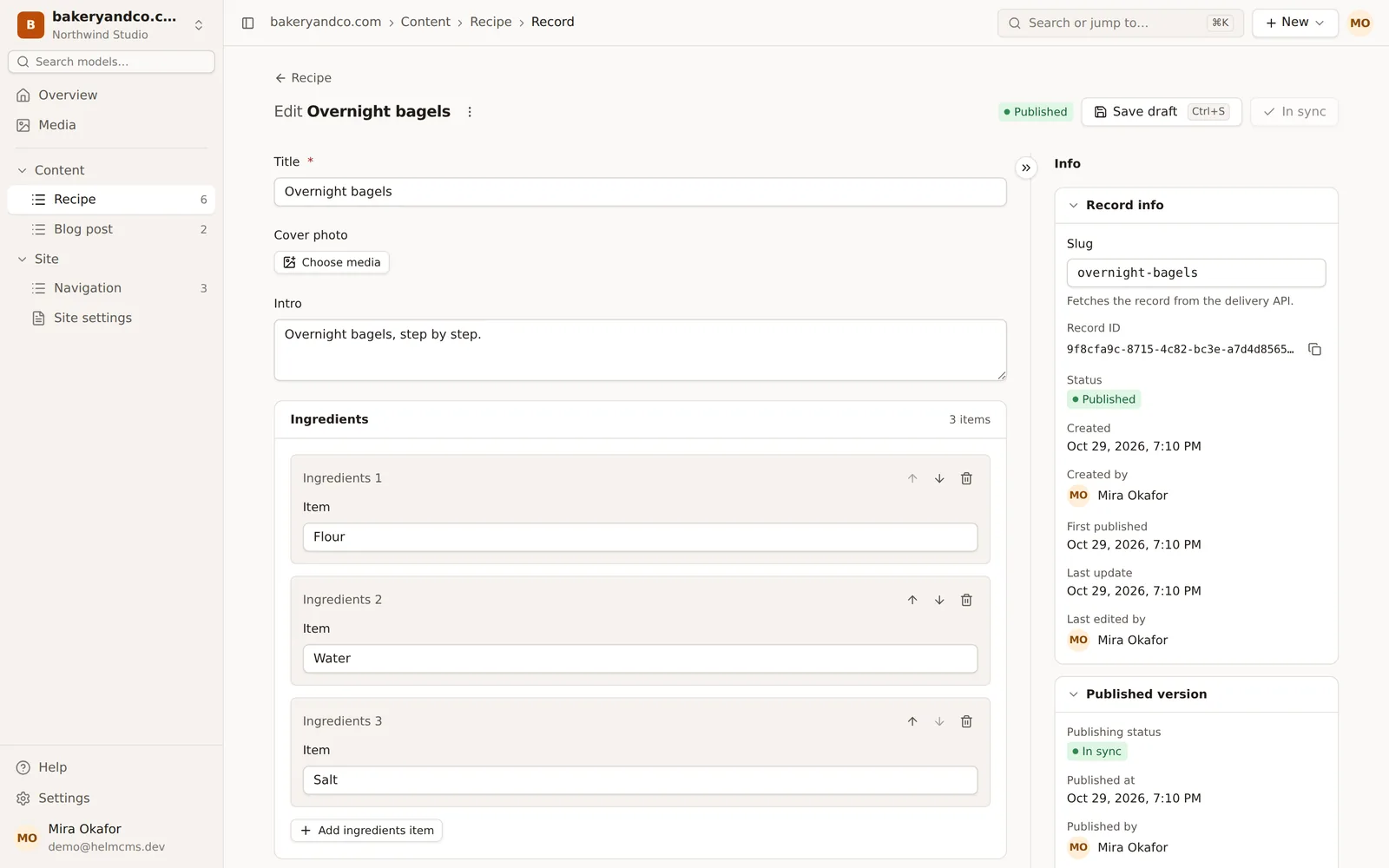
Everything an editor needs on one screen: a content tree grouped by model, record lists with draft and published tabs, and a focused editor with an Info panel that shows who changed what.
Part of our guide What is a headless CMS.
Content tree
Models grouped in folders in the sidebar, with record counts, per site.
Focused editor
Save a draft with ⌘S, open the Info panel with ⌘I, collapse groups you don't need.
⌘K everywhere
Jump to any model or record, or create a new one, from the command palette.
01Records that make sense at a glance
Each model has a record list with All, Drafts and Published tabs and a search box. Sortable and tree models switch to a nested list where you drag records to reorder or nest them, or use Alt + arrow keys.
- Status badges: draft, published, changed since publish
- Drag and drop or keyboard moves for menus
- Large lists load in pages, up to 2,000 records in a tree
02An editor that stays out of the way
The form sits in a centered column, generated from the content model. Group fields become collapsible cards, repeatable arrays and page-builder blocks stack as cards you can reorder, duplicate and remove.
- Info panel: slug, record ID, created and published by, publishing status
- Character counters on fields with a maximum length
- Language tabs on sites with more than one locale
03Settings in one place
Content models, the blocks library, members and invitations, API keys, webhooks and the audit log live in one settings area, per site, workspace and organization. Sections you can't manage are hidden.
Questions
Does the admin have a dark theme?
Yes. Appearance settings include light and dark themes, an accent color and interface density.
Can editors and agents work on the same record?
Yes. Saving with an out-of-date version is refused with a conflict, so nobody overwrites someone else's change without noticing.
Back to the guide: What is a headless CMS?
Keep exploring