Product · Content models
Change your content model without a deploy
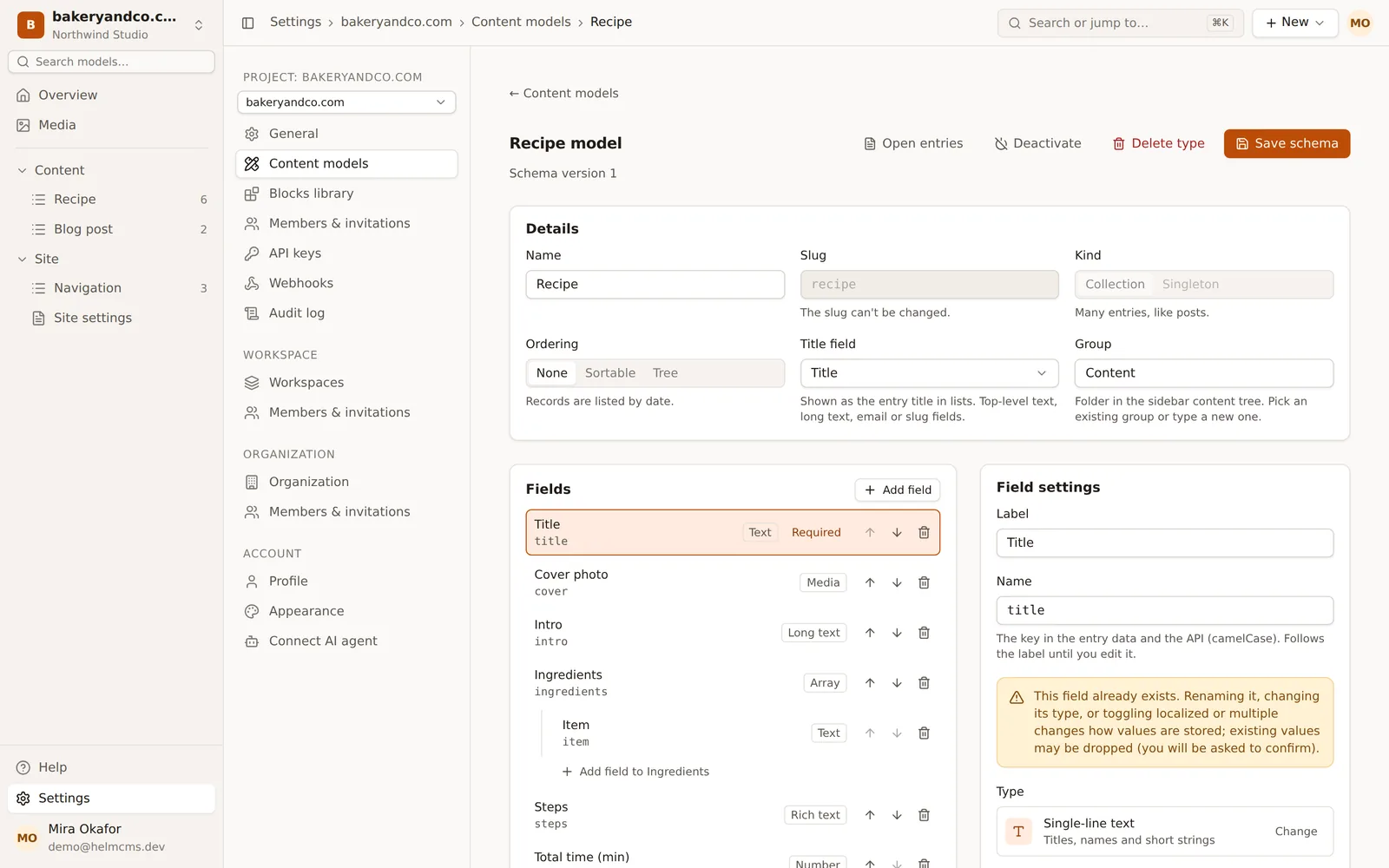
Content modeling in HelmCMS needs no code: a content model is data, not a config file. Add a field in the model builder or ask your agent, and the API serves it the moment you save.
Part of our guide What is a headless CMS.
16 field types
Text, rich text, number, date, select, media, relationship, group, array, blocks and more.
Three kinds of model
Collections for many entries, singletons for one, blocks for page builders.
Safe changes
Changes that would drop data ask first and say how many entries they affect.
01Fields with real rules
Every field can be required or unique, carry a default value, limits and a pattern, help text and a half or full width in the editor.
- text, textarea, rich text, number, boolean
- date, datetime, select, email, slug, JSON
- media, relationship, group, array, blocks
02Page builders with blocks
Blocks are reusable field sets you keep in a blocks library. A blocks field lets editors stack the blocks you allow in any order, nested up to three levels.
03Menus and ordered lists
Collections can be sorted by date, kept in a manual order, or nested as a tree up to ten levels deep, which is how you build navigation and mega menus.
- Model groups keep the sidebar tidy
- Deactivate a model without deleting it
- Every schema change bumps a schema version
MCP tools
What your agent can call here
- list_content_types
- get_content_type
- create_content_type
- update_content_type
- reorder_content_types
Questions
What happens to existing entries when I change a field?
Adding fields is instant. Removing or retyping a field that has data needs an explicit confirmation, which reports how many entries are affected.
Can an agent create models?
Yes, if its token has the admin scope and its user has the admin role on the site.
Back to the guide: What is a headless CMS?
Keep exploring